Your Ad Here
Showing posts with label Animation softwares. Show all posts

Bannershop GIF Animator

Bannershop GIF Animator


Create, edit, and optimize animated GIFs images for the Web. Animate images, shapes, and texts, using predefined animation effects such as Fade, Zoom, and Blur, or build animations from existing images. Bannershop GIF Animator uses a powerful optimization engine that can significantly reduce GIF file size.
The Optimization Wizard leads the user through the process, providing instant preview of optimized animation, so users can balance between image quality and the file size.
The application can create single or multi-frame animations. Master frame can be used as a background for entire animations, so repetitive graphics can be easily reproduced and managed. Extendable architecture allows adding new animation extensions.

EximiousSoft Banner Maker

EximiousSoft Banner Maker
EximiousSoft Banner Maker is a powerful yet easily software for creating web graphics.Even you have no image-editing experience, With it you can make more impressive banner ads,cool buttons,web headers or logos and flashy images.

* Supports strongly layer compose.
* Allow import raster images or vector shapes and rich texts.
* Shape objects can filled by rich gradient style,images or patterns.
* Each object can be painted with bevel,shadow,texture features,By which it looks with high 3D vision.
* Support animated GIF images. Build a animation with provided effects in one step.
* Export web graphics as JPG,GIF,PGN file format,preview the result in web browser directly.
* Preset many gradient styles,filled images, textures,and patterns.
* Has good interface and edit visually and easily.
* Frames in the animation can be added or removed or viewed.
* Undo or redo anytime.

Flash Banner Intro Maker 1.8.80

Flash Banner Intro Maker 1.8.80
Flash Intro and Banner Maker is a Flash authoring tool to help you create Flash intros, AD banners and ecards with ease. There is no need for knowledge of Flash development studio and Actionscripts, all you need is to input texts and select from premade customizable background effects and text animation effects.

Here are some key features of "Flash Intro and Banner Maker":
• Wizard style user interface, extremely easy to use;
• Customize width, height, frame rate of Flash movie;
• Add border to Flash movie;
• Add MP3 or WAV file to Flash movie as background sound effect;
• Add preloader to Flash movie;
• Add multiple images or Flash movies to background;
• Lots of background effects to select from, all of them are customizable;
• Add multiple background effects to Flash movie;
• Set background of Flash movie as transparent, solid color, linear gradient color, radial gradient color

Animated Banner Maker V1.06

Animated Banner Maker V1.06
Animated Banner Maker for GIF is the excellence banner maker and banner design tool,
where you can create your own professional-looking animated banner in just minutes.
When you have completed the banner, just save it as a GIF and add it to your Web site.
No skill need, Animated Banner Maker for GIF is very easy to use. The software
provided more than 330 animated GIF templates, you just need to change the size,
background, MovieClip position, text and text effect.
PASSWORD:-www.zipile.com

Banner Maker Pro

Banner Maker Pro


Banner Maker Pro is software that quickly (and easily!) allows you to create web-based banner ads, web buttons, web headers, animated gifs, logos, image ads and other web graphics. Its not just for banners. Its an animated banner ad maker, button maker, and logo maker all in one.
By using a wizard-like interface, Banner Maker Pro allows you to easily create professional looking banners, buttons, and graphics for web pages in just minutes. Simply follow the tabs at the top of the program to go step-by-step in the image making process. When you have completed the image, just save it as a GIF or JPEG and add it to your website. Create an animated banner or button in under 5 minutes! No graphics expertise needed.

WEBSITE DESIGNER V.5.0.9

WEBSITE DESIGNER V.5.0.9


WebSite X5 is a completely visual software: it does not require any HTML programming skills and it is the ideal tool for both home users and Web Designers who want to create and publish high quality websites with a professional look and feel. In comparison with previous versions, WebSite X5 presents new interesting functions for the creation and customization of the site: editing functions for images, 3D buttons creation, intro possibilities, multi-language sites, HTML objects, e-mail sending forms, etc.
If you have a project in mind, a personal or company site, a digital photo album or an interactive
presentation, WebSite X5 allows you in only 5 steps to pass from a simple idea to a complete and working website, already published and perfectly visible on the Web.

WEB X5 DESIGNER 5.7.7

WEB X5 DESIGNER 5.7.7


WebSite X5 is a completely visual software: it does not require any HTML programming skills and it is the ideal tool for both home users and Web Designers who want to create and publish high quality websites with a professional look and feel.In comparison with previous versions, WebSite X5 presents new interesting functions for the creation and customization of the site: editing functions for images, 3D buttons creation, intro possibilities, multi-language sites, HTML objects, e-mail sending forms, etc.

If you have a project in mind, a personal or company site, a digital photo album or an interactive presentation, WebSite X5 allows you in only 5 steps to pass from a simple idea to a complete and working website, already published and perfectly visible on the Web.

Step 1 - General Settings
Optimized Code for registration on Search Engines – Insert the requested information, also the Description and the Keywords: WebSite X5 automatically generates the code to allow Search Engines correctly indexing your pages.
Models – Browse the collection of more than 500 graphic models and select the one to apply to your site, with the color you prefer. If you imagine your site with a different look, create your graphics through the customized model and animate it with a Flash Animation.
Style model selection

Step 2 - Map Creation
Design and create the site map – Insert the levels and pages defining the menu and site articulation: you can set until 4 levels to organize an unlimited number of pages. You can modify the map in every moment and use it to move yourself among pages during the site creation phase.
Map Creation

Step 3 - Page Creation
Drag & Drop for multimedia page creation – Create every page through simple drag and drop of available objects: texts and images also with RollOver, Flash Animations, Video and Sound, Slide Show, Formatted Tables, Images Galleries, HTML Code, Data Sending Forms.
Editing Functions for the images – Edit the images rotating them, cutting the view area, correcting the regulations, setting filters and borders without using external graphical programs. WebSite X5 optimizes and converts automatically to JPG all imported images.
Object insertion
Create and share your photo albums – Select your best photos and create a Slide Show setting the graphics and selecting among the 50 different transition effects: share the memory emotion has never been so easy.
Enrich your pages of contents – Take advantage of the possibility of adding your HTML code to set a visitors counter and to show interesting contents to web navigators: news, weather forecast, work and estate offers, etc. WebSite X5 suggests you some free services and it is compatible with the AdSense program of Google.
Create form to send data – As simple as you manage the other objects, create a form to collect the data you want and make them be sent you by e-mail.

Step 4 - Advanced Settings
Create three-dimensional buttons – Customize the menus and create three-dimensional buttons through a proper editor defining also the mouseover effect.
Intro and multi-language sites – Set image, video or Flash Animation you want to view as site Intro, set a soundtrack and the links for language selection.
Reserved Area – Select the protected pages and create a reserved area to access to only with a password.
First level items style

Step 5 - Site Export
Publish through an internal FTP – Publish the created site on-line directly from WebSite X5: you don't need any external FTP program to transfer all necessary files on the server to make immediately visible the site on the Web.

OR

WEBSITE X5 DESIGNER 7.5

WEBSITE X5 DESIGNER 7.5

WebSite X5 is a completely visual software: it does not require any HTML programming skills and it is the ideal tool for both home users and Web Designers who want to create and publish high quality websites with a professional look and feel.

In comparison with previous versions, WebSite X5 presents new interesting functions for the creation and customization of the site: editing functions for images, 3D buttons creation, intro possibilities, multi-language sites, HTML objects, e-mail sending forms, etc.
If you have a project in mind, a personal or company site, a digital photo album or an interactive presentation, WebSite X5 allows you in only 5 steps to pass from a simple idea to a complete and working website, already published and perfectly visible on the Web.


Step 1 - General Settings
Optimized Code for registration on Search Engines – Insert the requested information, also the Description and the Keywords: WebSite X5 automatically generates the code to allow Search Engines correctly indexing your pages.
Models – Browse the collection of more than 500 graphic models and select the one to apply to your site, with the color you prefer. If you imagine your site with a different look, create your graphics through the customized model and animate it with a Flash Animation.
Style model selection
Step 2 - Map Creation
Design and create the site map – Insert the levels and pages defining the menu and site articulation: you can set until 4 levels to organize an unlimited number of pages. You can modify the map in every moment and use it to move yourself among pages during the site creation phase.
Map Creation
Step 3 - Page Creation
Drag & Drop for multimedia page creation – Create every page through simple drag and drop of available objects: texts and images also with RollOver, Flash Animations, Video and Sound, Slide Show, Formatted Tables, Images Galleries, HTML Code, Data Sending Forms.
Editing Functions for the images – Edit the images rotating them, cutting the view area, correcting the regulations, setting filters and borders without using external graphical programs. WebSite X5 optimizes and converts automatically to JPG all imported images.
Object insertion
Create and share your photo albums – Select your best photos and create a Slide Show setting the graphics and selecting among the 50 different transition effects: share the memory emotion has never been so easy.
Enrich your pages of contents – Take advantage of the possibility of adding your HTML code to set a visitors counter and to show interesting contents to web navigators: news, weather forecast, work and estate offers, etc. WebSite X5 suggests you some free services and it is compatible with the AdSense program of Google.
Create form to send data – As simple as you manage the other objects, create a form to collect the data you want and make them be sent you by e-mail.
Step 4 - Advanced Settings
Create three-dimensional buttons – Customize the menus and create three-dimensional buttons through a proper editor defining also the mouseover effect.
Intro and multi-language sites – Set image, video or Flash Animation you want to view as site Intro, set a soundtrack and the links for language selection.
Reserved Area – Select the protected pages and create a reserved area to access to only with a password.
First level items style
Step 5 - Site Export
Publish through an internal FTP – Publish the created site on-line directly from WebSite X5: you don't need any external FTP program to transfer all necessary files on the server to make immediately visible the site on the Web.


OR

OR

POTRAIT PROFESSIONAL

POTRAIT PROFESSIONAL


Portrait Professional is new intelligent portrait airbrushing software that has been ‘trained’ in human beauty. It lets you improve your photos instantly, just by moving sliders. With Portrait Professional, it’s incredibly easy and fast to:

*Subtly reshape all or any aspect of the face to make it more attractive
*Fix skin blemishes such as spots or pimples
*Reduce and/or remove wrinkles
*Remove grease, sweat or unsightly shine highlights from the skin
*Adjust the lighting on the face to make it more flattering
*Remove red eye
*Whiten teeth and eyes

OS : Win2000/XP/2003/Vista

PHOTO MODELER

PHOTO MODELER


PhotoModeler Scanner provides the tools for you to create accurate, high quality 3D models and measurements from photographs. PhotoModeler Scanner is capable of performing many modeling and measuring tasks, and differs from the base PhotoModeler product by its ability to scan photo pairs to produce dense point cloud and meshed surfaces.
PhotoModeler Scanner has all the capabilities of the PhotoModeler product plus the capability to do Dense Surface Modeling (DSM). PhotoModeler Scanner also includes, as part of the packaged price, the Coded Target and Idealize modules. See the Products page for a comparison of the two products. PhotoModeler Scanner is a software-only product - there is no hardware scanner - only your camera is used!
The lion statue project is an good example of a project that combines scanning with PhotoModelers geometric capabilities - the best of both worlds in one product!
Dense Surface Modeling is used in any application where a large number of 3D points are needed. The surfaces being modeled need a natural or random texture (or that texture can be applied or projected). Most applications where a laser scanner works, DSM will work also.


ACTUALLY GIUES YOU HAVE TO DO A LITTLE HARD WORK TO DOWNLOAD THIS AS THIS B***** SITE ALLOWS ONLY A LIMITED NO OF DOWNLOADS PER DAY
http://uploading.com/files/OR81VYV8/PhotoModeler.Scanner.v6.2.2.596.part1.rar.html
http://uploading.com/files/5KS9GXJU/PhotoModeler.Scanner.v6.2.2.596.part2.rar.html

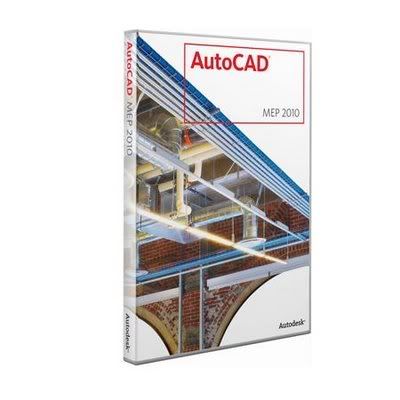
AUTODESK AUTO CAD 2010 MULTILANGUAGE

AUTODESK AUTO CAD 2010 MULTILANGUAGE

Design and shape the world around you with the powerful, flexible features found in AutoCAD® design and documentation software, one of the world?s leading 2D and 3D CAD tools. Speed documentation, share ideas seamlessly, and explore ideas more intuitively in 3D. With thousands of available add-ons, AutoCAD software provides the ultimate in flexibility, customized for your specific needs. It?s time to take design further.

AutoCAD® software enables you to create and explore ideas like never before. With AutoCAD® software Autodesk has just one goal in mind: increasing your productivity. From conceptual design through drafting and detailing, AutoCAD is all you need to create, visualize, document, and share your ideas. AutoCAD combines the familiar AutoCAD commands and user interface that you already know with an updated design environment, giving you the power to shape and explore your ideas like never before.

AutoCAD boosts efficiency with customizable and extensible user interface enhancements that increase overall drafting productivity by decreasing the number of steps to reach a command. Newly designed, innovative features simplify working with layers and help make new users productive as quickly as possible. Easy-to-use navigation tools make finding your way around 3D models a snap. Move to new highs of productivity with AutoCAD software.

Make efficiency a daily part of the job with AutoCAD® software. The drafting, detailing, and conceptual design leader is showing the way once again. Meticulously refined with the drafter in mind, AutoCAD propels day-to-day drafting forward with features that increase speed and accuracy while saving time. Annotation scaling and layer properties per viewport minimise workarounds, while text and table enhancements and multiple leaders help deliver an unmatched level of aesthetic precision and professionalism. Always innovative, the existing AutoCAD tools for conceptual design and visualisation work with a new toolset to deliver virtually instant productivity, making efficiency a daily part of the job.

FOR 32 BIT


http://rapidshare.com/files/214515608/AACV2010-Multi.part01.rar
http://rapidshare.com/files/214515632/AACV2010-Multi.part02.rar
http://rapidshare.com/files/214515088/AACV2010-Multi.part03.rar
http://rapidshare.com/files/214515692/AACV2010-Multi.part04.rar
http://rapidshare.com/files/214515070/AACV2010-Multi.part05.rar
http://rapidshare.com/files/214516775/AACV2010-Multi.part06.rar
http://rapidshare.com/files/214517229/AACV2010-Multi.part07.rar
http://rapidshare.com/files/214516769/AACV2010-Multi.part08.rar
http://rapidshare.com/files/214517341/AACV2010-Multi.part09.rar
http://rapidshare.com/files/214517418/AACV2010-Multi.part10.rar
http://rapidshare.com/files/214519002/AACV2010-Multi.part11.rar
http://rapidshare.com/files/214519082/AACV2010-Multi.part12.rar
http://rapidshare.com/files/214518966/AACV2010-Multi.part13.rar
http://rapidshare.com/files/214519719/AACV2010-Multi.part14.rar

FOR 64 BIT

http://rapidshare.com/files/214522087/AACV2010-Multi-64bit.part01.rar
http://rapidshare.com/files/214522758/AACV2010-Multi-64bit.part02.rar
http://rapidshare.com/files/214522082/AACV2010-Multi-64bit.part03.rar
http://rapidshare.com/files/214522809/AACV2010-Multi-64bit.part04.rar
http://rapidshare.com/files/214523669/AACV2010-Multi-64bit.part05.rar
http://rapidshare.com/files/214523521/AACV2010-Multi-64bit.part06.rar
http://rapidshare.com/files/214523760/AACV2010-Multi-64bit.part07.rar
http://rapidshare.com/files/214523630/AACV2010-Multi-64bit.part08.rar
http://rapidshare.com/files/214523761/AACV2010-Multi-64bit.part09.rar
http://rapidshare.com/files/214523879/AACV2010-Multi-64bit.part10.rar
http://rapidshare.com/files/214525709/AACV2010-Multi-64bit.part11.rar
http://rapidshare.com/files/214525013/AACV2010-Multi-64bit.part12.rar
http://rapidshare.com/files/214525060/AACV2010-Multi-64bit.part13.rar
http://rapidshare.com/files/214525427/AACV2010-Multi-64bit.part14.rar
http://rapidshare.com/files/214525532/AACV2010-Multi-64bit.part15.rar
http://rapidshare.com/files/214527329/AACV2010-Multi-64bit.part16.rar

DOWNLOAD DUSTY

DUSTY


  • Dusty is a nice realtime 3D Smoke Simulator.
  • It allowes to simulate smoke and fire in realtime.
  • The simulation is based on the Stable Fluids Algorithm from Jos Stam.
  • With a flexible scripting system one can build and animate scenes.
  • Containing obstacles can be placed within the simulation universum to affect the fluid in a near realistic way.

  • INCREDIBLE FLASH XTREME

    INCREDIBLE FLASH XTREME


    IncrediFlash XTreme is a tool to quickly and easily build Flash animations without the need for Flash experience. Create website banner, photo slideshow and a navigation menu using a step by step wizard. Add text animations, images, interactivities, actions, sounds, videos, and voices with only a few clicks. No need to write any script. BuildChoose from 100+ customizable text effects. Add new Flash 8 filters and blend modes instantly, such as drop shadow, gradient glow, bevel, blur, screen, overlay, darken, etc. Import various image formats.

    Add multimedia components such as video, sound, music, Flash movie clips, and voice recordings. Add clipart from the built-in clipart library. Choose various background styles such as transparent, solid color, gradient and animated background with customizable colors. Add layer effects such as lighting, clouds, thunder, rain. Publish as HTML file, DVD movie, AVI, executable file and autorun CD/DVD with customizable splash screen.

    Anim8or

    ANIM8or


    THE FEATURES OF ANIM8OR ARE:-
    • 3D Modeler - Create and modify 3D models. Built-in primitives such as spheres, cylinders, platonic solids, etc.; mesh-edit and subdivision; splines, extrusion, lathing, modifiers, bevel and warps,
    • TrueType font support - 2D and 3D extruded text for any TrueType font.
    • OpenGL based real time operation,
    • Import and modify .3DS (3D Studio), .LWO (Lightwave), and .OBJ (Wavefront) object files,
    • Export .3DS files,
    • Built in 3D Object browser,
    • Jointed character editor,
    • Morph targets,
    • Anti-aliased software renderer for high quality, production quality images,
    • Create 3D scenes and animations and output .AVI movie files, .JPG and .BMP images,
    • Supports textures, bump maps, soft shadows, spotlights, fog, and much more,
    • Texture support for .BMP, .GIF, and .JPG format files,
    • Print images of scenes and models.
    • OpenGL shaders for realistic previews.
    • Scripting language.
    • Plig-ins for parameteric shape and object export.

    DAZ STUDIO

    DAZ STUDIO

    DAZ | Studio

    DAZ|Studio is a free software application that allows you to easily create beautiful digital art. You can use this software to load in people, animals, vehicles, buildings, props, and accessories to create digital scenes. DAZ|Studio includes two pre-configured scenes ready for you to Load & Render within DAZ|Studio. Just double-click on the scene thumbnails inside of DAZ|Studio, and everything will come on screen posed, lit, and ready for you to create a stunning digital image. Click here to view a sample scene render from DAZ|Studio using the included content. With DAZ|Studio, you can turn your 3d dreams into reality.

    AUTODESK ALIAS STUDIO


    Autodesk AliasStudio

    Autodesk AliasStudio software is known as the premier industrial design tool ? used by virtually every car company, leading design consultancy, and consumer product company around the world. AliasStudio enables designers to own their designs further in the development process with tools to efficiently refine model details and create production-quality data for downstream use. Designers retain ownership of designs and incorporate changes later in the process, increasing the flexibility of design decisions and preventing design intent from being altered or lost during the engineering phase. AliasStudio also supports collaboration between design and engineering to help ensure that both aesthetic and functional requirements are efficiently addressed in design solutions. Personal Learning Edition is a special version providing free access for non-commercial use.

    AUTODESK MAYA

    AUTODESK MAYA

    Autodesk Maya P.L.E.

    Maya Personal Learning Edition is a special version of Maya software, which provides free access to Maya for non-commercial use. It gives 3D graphics and animation students, industry professionals, and those interested in breaking into the world of computer graphics (CG) an opportunity to explore all aspects of the award-winning Maya Complete software in a non-commercial capacity. Available for Windows 2000/XP Professional and Mac OS X operating systems. Most every feature found in the full commercial version of Maya Complete.Adobe Photoshop integration and Adobe Illustrator connectivity. Four renderers: Maya software, hardware, vector and the award-winning mental ray for Maya renderer. Polygonal, NURBS and subdivision surface modeling. Comprehensive documentation. The ability to import and export FBX files to and from Alias MotionBuilder Personal Learning Edition Academy Award winning Maya software is the world's most powerfully integrated 3D modeling, animation, effects, and rendering solution. Maya also adds to the quality and realism of 2D graphics. That's why film and video artists, game developers, visualization professionals, Web and print designers turn to Maya to realize their creative vision. File Format and Data Input/Output.

    MOTION BUILDER

    MOTION BUILDER P.L.E

    MotionBuilder P.L.E.

    Autodesk gives industry professionals and those interested in real-time character animation an opportunity to explore all aspects of this award-winning technology while developing new skills. This special version of Autodesk MotionBuilder provides free access to the software, with no time limit, for non-commercial use.Available for the Windows XP Professional and Mac OS X operating systems.Autodesk MotionBuilder Personal Learning Edition offers almost every feature found in the full commercial version of Autodesk MotionBuilder including: Advanced real-time technology, Unique Story Timeline performance environment, Auto rigging, motion editing, motion layering, storytelling tools, and numerous other features for animating your characters.The ability to import and export FBL files to and from Maya Personal Learning Edition software.

    ArchiCAD

    ArchiCAD Educational Version


    ArchiCAD is the most popular Virtual Building solution for architects in the world. It has formed the modeling backbone to over a million buildings worldwide, and has a passionate, loyal and above all, creative, legion of users across 83 countries.
    The ArchiCAD educational version is a fully-functional copy of the commercial version, with the only exception that it prints a watermark-style logo onto all ArchiCAD project files created or opened with the ArchiCAD student version. You, as a student, will have at your fingertips the very same modeling solution - ArchiCAD - that you will encounter after graduation on the job, out there in the real, competitive market among great architects who have built their reputation on it. So, take a moment to read detailed description of ArchiCAD 11, to be clear just how this design tool can transform your approach to building modeling for a fun, satisfying and successful architectural career.

    DOWNLOAD BLENDER

    BLENDER


    Blender, the open source software for 3D modeling, animation, rendering, post-production, interactive creation and playback. Available for Windows, Linux, Irix, Sun Solaris, or Mac OS X under the GNU Public License. Revolutionary non-overlapping and non-blocking UI delivers unsurpassed workflow. Flexible and fully configurable window layout with as many screen setups as you prefer . Powerful built-in database system allowing instances, scene management, and dynamic linking multiple project files. Anti-aliased fonts with international translation support. Windows for animation curves/keys, outliner, schematic scene diagram, non-linear video sequence editing, character animation action editor, non-linear animation mixer, image/UV editing, file/image selection and file management.

    Your Ad Here